Kenapa Firefox di Ubuntu tidak Boros RAM?
Pertanyaan Asli dari Forum
"Why is Firefox on Ubuntu doesn't eat too much RAM compared to Windows or any other Linux distro (Arch, Endeavour, Mint) eats too much RAM?"
Pertanyaan ini muncul di forum tech, dan jawabannya rame banget! Dari yang serius ngomongin MSVC vs GCC, sampe yang cuma bilang "Windows = spyware". Tapi intinya: Firefox di Ubuntu emang jauh lebih hemat RAM. Kenapa? Yuk kita bongkar satu-satu.
1. Windows = Bloatware + Proses Latar Belakang
Bayangin pas boot, Windows nyalain 60–100+ proses: telemetry, Cortana, Copilot, Edge auto-start, Windows Defender, update service, cloud sync, dll. Linux? Cuma 10–15 daemon esensial.
- Idle RAM Windows 11: 2.5 – 3.5 GB
- Idle RAM Ubuntu (KDE/XFCE): 600 MB – 1 GB
Jadi sebelum buka Firefox, Windows udah "makan dulu" 3 GB. Firefox cuma korban lingkungan!
2. Kompilasi Firefox: GCC (Linux) vs MSVC (Windows)
Firefox di Windows dikompilasi pake MSVC (Microsoft Visual C++). Ini nyimpan metadata buat debugging, RTTI, dan Structured Exception Handling (SEH). Hasilnya? Binary lebih gede, RAM footprint lebih berat.
Di Linux? Pake GCC/Clang → lebih ringan, tidak ada overhead SEH, dan dynamic linking lebih efisien.
3. Linux Kelola Memori Lebih Pintar
Linux pake cache cerdas: data yang jarang dipake bisa langsung dibuang. Ada juga zram/zswap buat kompresi swap. Windows? Suka "nyimpan dulu buat jaga-jaga" → RAM bengkak.
Tips Pro: Pakai zram-generator di Ubuntu → swap dikompresi, performa naik, RAM hemat!
4. Ubuntu = "Rumah" Firefox
Firefox dikembangkan bareng tim Debian/Ubuntu. Jadi build-nya dioptimasi khusus buat ekosistem .deb. Di Arch/Mint? Kadang pake build AUR atau Snap → beda optimasi, bisa lebih berat.
5. Tweak Firefox Biar Tidak Rakus
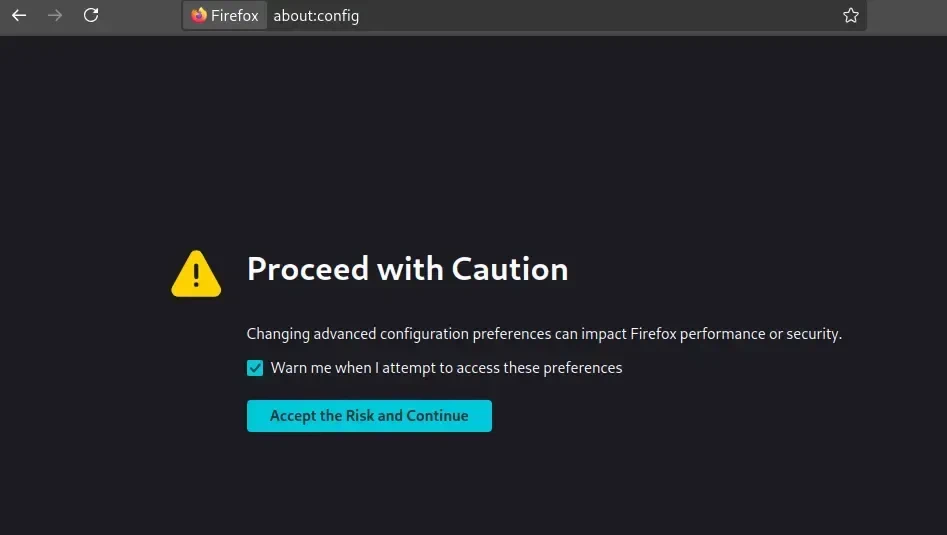
Buka about:config, cari dan ubah:
browser.cache.disk.enable → false
browser.cache.memory.capacity → 52428 (51 MB)
browser.ml.chat.enabled → false
browser.ml.enable → false
browser.ml.linkPreview.enabled → false
browser.tabs.groups.smart.enabled → false
browser.tabs.groups.smart.userEnabled → false
content.process.limit → 4
extensions.ml.enabled → false
extensions.pocket.enabled → false
gfx.webrender.all → true
image.mem.max_decoded_image_kb → 51200
sidebar.revamp → false
ui.prefersReducedMotion → 1
Matikan juga: Pocket, Telemetry, Sync (kalau tidak dipake).
6. Windows = Spyware? Banyak yang Bilang Iya!
Telemetry, ads di Start Menu, Copilot always-on → semua makan RAM & CPU. Linux? Kamu yang kontrol. Mau hapus apa aja? Bisa!
7. Pindah ke Wayland!
Di X11, memori grafik dihitung di X server → keliatan dobel. Di Wayland? Semua di-handle per proses → akurasi lebih baik, performa lebih mulus.
Kesimpulan Akhir
Firefox tidak boros di Ubuntu karena:
OS ringan + build optimal + tidak ada bloat Windows + memori dikelola cerdas.
Di Windows atau distro lain? Bloatware + kompilasi berat = RAM jebol.
Solusi: Tweak Firefox + pake Linux ringan (XFCE/MATE) = lancar jaya! 🚀