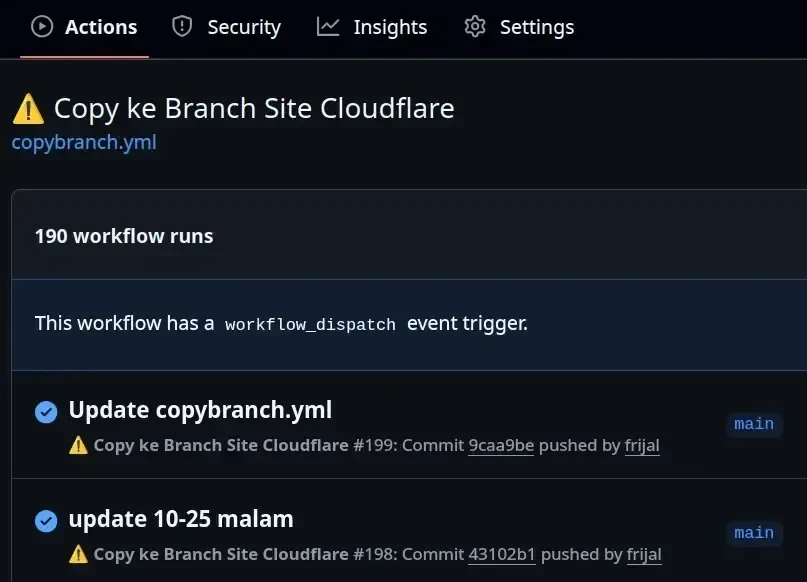
🎯 Tujuan Workflow
Workflow ini dirancang untuk menyalin file dari branch main ke branch site secara dapat, hanya jika ada perubahan yang relevan. Cocok sangat buat kamu yang pakai Cloudflare Pages dan ingin proses deploy yang bersih dan efisien.
🔧 Struktur dan Langkah-langkah
Berikut adalah isi lengkap file .github/workflows/deploy-to-site.yml:
name: ⚠️ Copy ke Branch Site Cloudflare
on:
 schedule:
 - cron: '0 17 * * *'
 push:
 branches:
 - main
 paths:
 - 'artikel.json'
 - '_redirects'
 - '_headers'
 - '*.html'
 - '*.xml'
 - '*.txt'
 - 'favicon.*'
 - 'icon.*'
 - 'logo.*'
 - 'thumbnail.*'
 - '*.webmanifest'
 workflow_dispatch:
permissions:
 contents: write
jobs:
 build-and-deploy:
 runs-on: ubuntu-latest
 steps:
 - name: Checkout source branch
 uses: actions/checkout@v4
 with:
 ref: main
 path: source
 - name: Checkout site branch (for comparison)
 uses: actions/checkout@v4
 with:
 ref: site
 path: site
 - name: Create clean directory
 run: mkdir deploy_dir
 - name: Sync allowed files to deploy directory
 run: |
 rsync -a --delete \
 --include='artikel/*' \
 --include='ext/*' \
 --include='img/*' \
 --include='artikel.json' \
 --include='_redirects' \
 --include='_headers' \
 --include='*.html' \
 --include='*.xml' \
 --include='*.txt' \
 --include='favicon.*' \
 --include='icon.*' \
 --include='logo.*' \
 --include='thumbnail.*' \
 --include='*.webmanifest' \
 --exclude='*' \
 source/ deploy_dir/
 - name: Check for changes vs deployed site
 id: check_changes
 run: |
 if git diff --no-index --quiet deploy_dir/ site/; then
 echo "changed=false" >> $GITHUB_OUTPUT
 else
 echo "changed=true" >> $GITHUB_OUTPUT
 fi
 - name: Deploy to site branch
 if: steps.check_changes.outputs.changed == 'true'
 uses: peaceiris/actions-gh-pages@v4
 with:
 github_token: ${{ secrets.GITHUB_TOKEN }}
 publish_dir: ./deploy_dir
 publish_branch: site
 user_name: 'github-actions[bot]'
 user_email: 'github-actions[bot]@users.noreply.github.com'
 force_orphan: false
 keep_files: false
📌 Penjelasan Tambahan
Workflow ini sangat cocok untuk kamu yang ingin menjaga branch site tetap bersih dan hanya berisi file yang memang dibutuhkan untuk deploy ke Cloudflare Pages. Dengan filter paths dan rsync --include, kamu bisa pastikan hanya file penting seperti HTML, JSON, favicon, dan manifest yang ikut disalin.
Langkah check_changes juga penting banget karena mencegah deploy yang sia-sia kalau ternyata tidak ada perubahan signifikan. Ini hemat waktu dan resource.